Self-service and sales-assisted, working together in Salesforce.
From syncing online orders to full sales-assisted commerce—Limio integrates deeply and natively with Salesforce.

Your channels don't need to be disconnected
Your reps want to see what is happening online and help your self-serve subscribers.
Push self-service actions into Salesforce
Every online order and self-service change flows into Salesforce automatically. Accounts and Contacts are created or matched. Your CRM stays current without manual data entry.
- Push net new orders into Salesforce
- Track self-service expansions and renewals
- Admin-friendly
- Auto-create or reuse Account and Contact records
- Order details written to standard or custom object
- Real-time sync — no batch jobs, no stale data
.png)
Push orders from Salesforce to self-service
Manage subscriptions directly in Salesforce — switch plans, process cancellations, update payments, issue refunds, and more. All changes are then visible in Limio Self-Service.
Manage subscriptions from any record
View all subscriptions for a customer and take action directly in Salesforce. Select a subscription, choose an action, and complete the change — all in one flow.
Handle common service requests
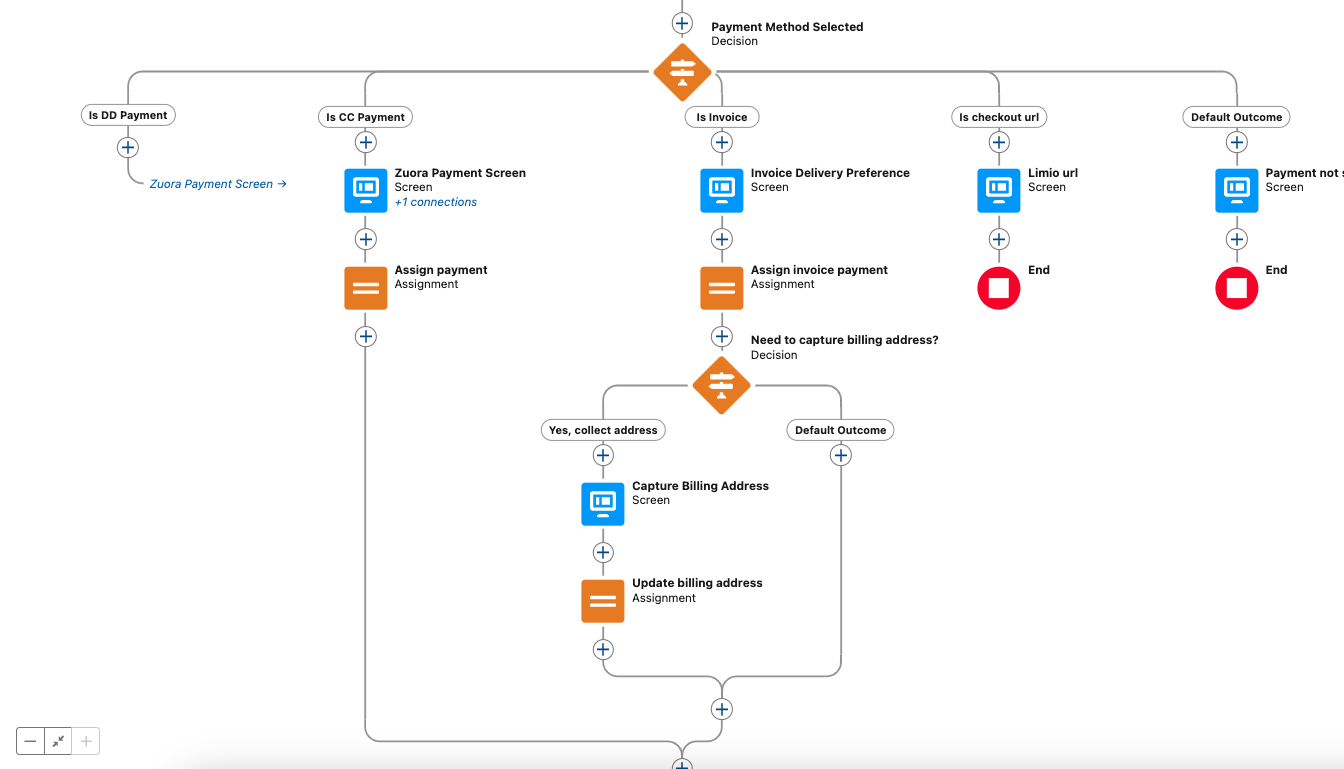
Switch plans, cancel or reactivate subscriptions, change payment methods, update delivery addresses, process renewals, and issue refunds or credit memos. Each action is a pre-built flow you can customise.
Instant updates to self-service
Every change is synced back to Limio and is visible to your subscribers in self-service. No middleware, no glue code. Salesforce and self-service working hand-in-hand.
.png)
Configure Price Quote (CPQ)
Add quoting to your commerce stack. Sales can create quotes, process Salesforce-to-web orders, and manage the entire subscription lifecycle.
Create quotes
Create quotes for subscriptions, one-offs, add-ons, and bundles directly in Salesforce. Prefill customer data automatically. Apply discounts and custom pricing with permission controls.
Guide selling
Surface the right offers automatically based on segment, subscription type, or scenario. Retention offers for cancel flows, upsells for expansion calls. Less guesswork, faster conversations.
Shift to self-service
Generate a checkout link from any Salesforce quote. Customers pay, accept terms, and self-activate — on their own time. Deals close at 2am without your team lifting a finger.
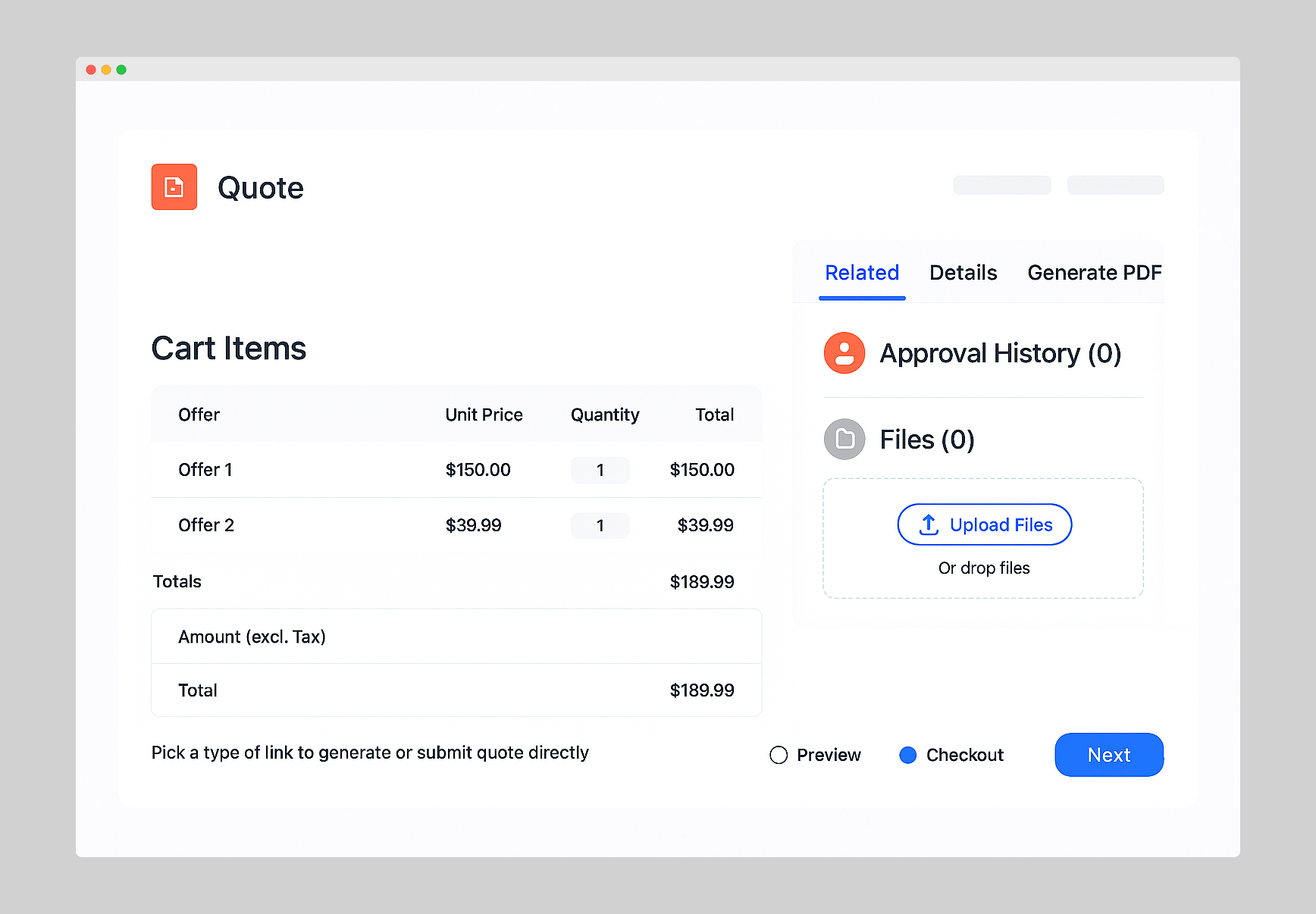
Everything agents need, inside Salesforce
From new quotes to upgrades to renewals - all in one place.
Quotes & Orders
Quote new subscription, one-offs, add-ons, bundles - and process approved orders.
Upgrade / Downgrade
Effortlessly manage subscription changes, whether customers upgrade or downgrade.
Renewal
Simplify subscription renewals in Salesforce to drive retention and recurring revenue.
Manage Add-Ons
Make it easy for customers to purchase add-ons, seamlessly managed in Salesforce.
Cancel & Cancel/Save
Deliver personalised retention offers in Salesforce, ready for agents to pick and win back customers.
Credit & Refund
Generate a goodwill refund when required
Change address
Change a delivery address on the fly
Change payment
Update the payment method of customers
“Thanks to the seamless integration of Limio for Salesforce with Zuora, our agents can efficiently handle new orders, modify existing ones, and process cancellations—all within the Salesforce platform.”
- Julian Kalbermatten, Head of Marketing Technology & Analytics at CH Media

Part of your stack
Whether you want to push self-service orders into Salesforce or trigger orders and quotes from Salesforce, Limio keeps everything connected. Orders placed online or by agents flow to all integrated applications, such as Zuora and Stripe.

Built on Salesforce, not bolted on
No iFrames. No bloated Apex. Your admin stays in control.
Your subscription business, on autopilot.
See how Limio automates selling, expanding and retaining — no code required.