A checkout that converts more, and sells more per order.
Limio's modular checkout gets buyers through in fewer steps, takes payment the way they expect, and puts the upsell, the cross-sell and the promo code exactly where they work. Your team changes any of it without an engineering ticket.



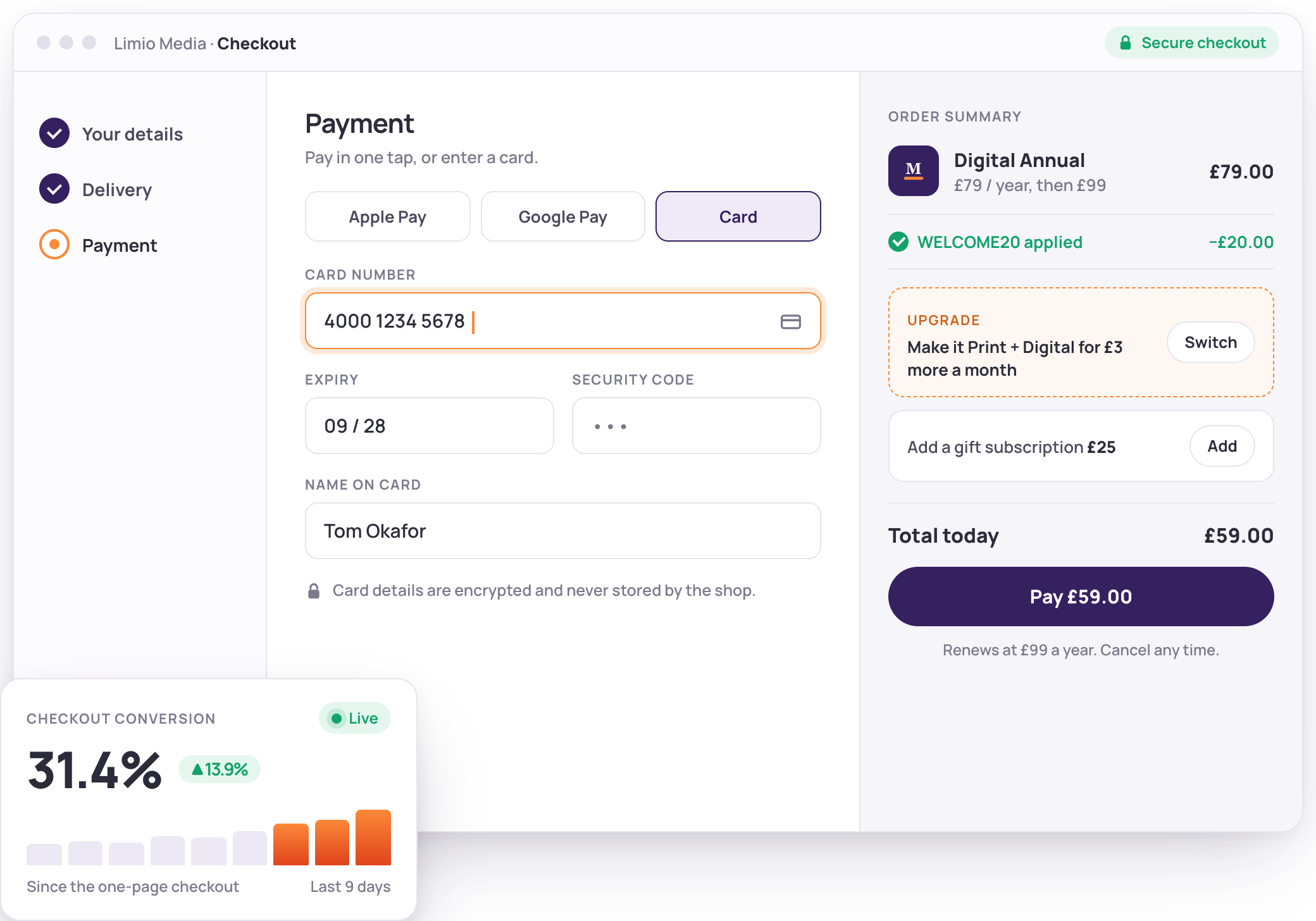

What a better checkout is worth
Figures from Limio customers, measured on their own traffic.
- +13.9%
- Checkout conversion OpenText, after rebuilding the Webroot checkout on Limio
- +7.3%
- Revenue per cart with upsells Upsells and add-ons surfaced in the cart
- 19.8%
- Visit-to-member conversion on a join flow A Premier League club, against a 10 to 18% baseline before Limio

 Convert
Fewer steps, fewer fields, more orders
Most subscription checkouts leak. Limio removes the reasons people stop: it prefills what you already know, takes express payments in a tap, and lets guests buy before they create an account.

Express payments first
Apple Pay, Google Pay and PayPal as soon as the basket exists, with cards, Direct Debit and the European and US bank debits (SEPA and ACH) behind them.
Prefilled, not retyped
Identity and address lookups fill the details buyers hate typing, and a returning customer sees their saved details.
Guest checkout, then claim the account
Let people pay first and attach the subscription to an account afterwards, so account creation never blocks the sale.
Clear terms where people pay
Renewal price, cadence and cancellation rights on the checkout itself, with the consent your market requires.

 Grow the order
Every order a little bigger
Average order value is a design choice. Limio puts the upgrade, the add-on and the bundle in front of the buyer at the moment they are deciding, in the cart, in the checkout and on the order complete page.
Upsells that swap in place
Offer the annual plan against the monthly, or the pro tier against basic. One click replaces the item, and the old one leaves the basket.
Cross-sells and add-ons
Show the gift card, the extra licence or the print add-on beside the base offer, priced and added in a tap.
Bundles and multibuy
Sell several products in one line, volume tiers by quantity, and family or group memberships in a single order.
Promo codes and payment incentives
Percentage or amount off, on the basket or on a line, with a Direct Debit incentive when a sticky payment method is worth a discount.
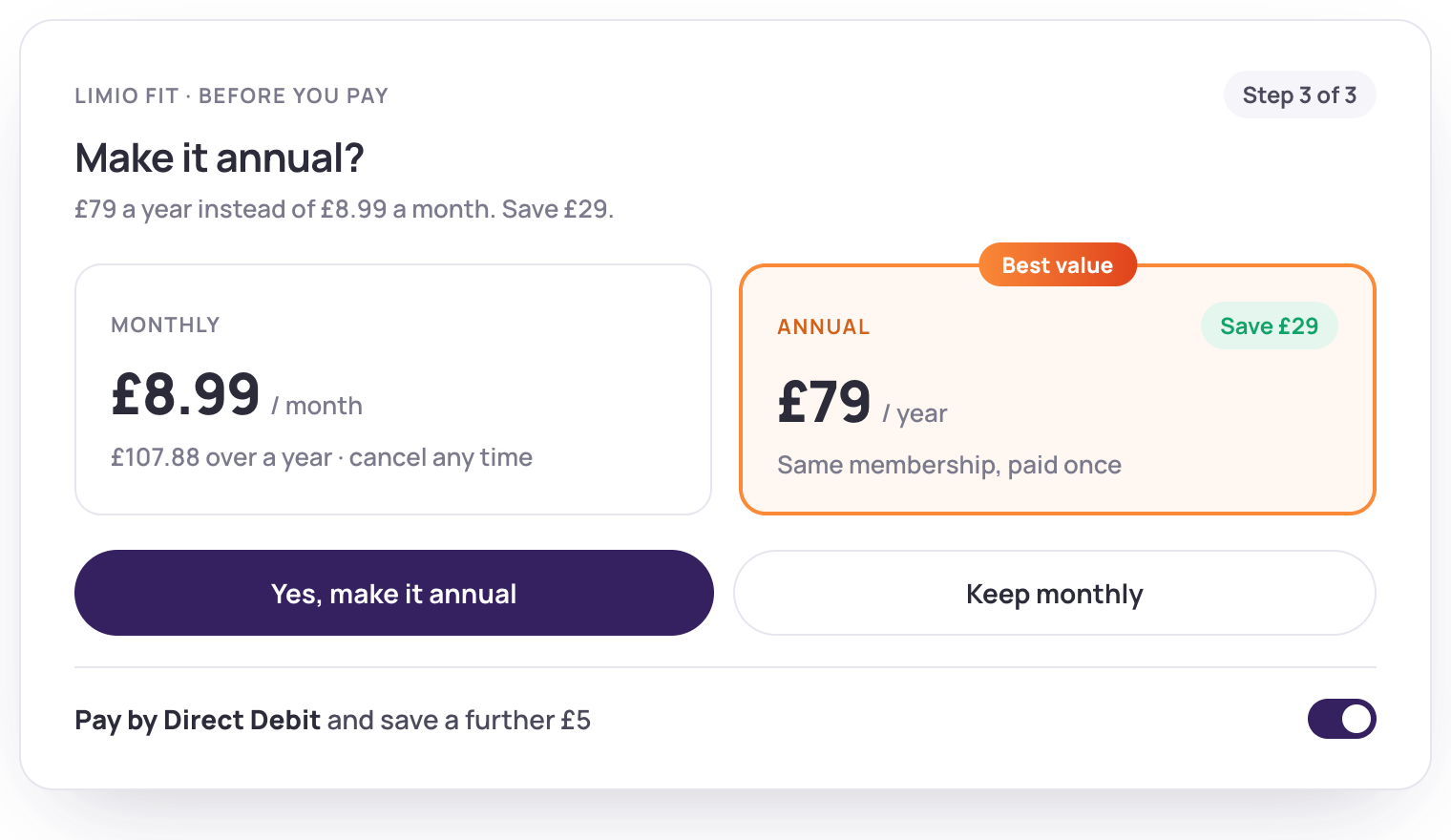
 In the cart
A cart that does some of the selling
The cart is a page your team designs: items, summary, promo code, cross-sells and a checkout button, on its own page or alongside the checkout. Every change to it fires the events your analytics already expects.
Cross-sells beside the basket
Members also add, frequently bought together, or a single recommended add-on, each with its own price and button.
Totals that explain themselves
Subtotal, discount, tax for the markets that need it, and what is due now against what is due next.
A floating cart in the header
Buyers add from any page and pick up where they left off, on this visit or the next.
Baskets left behind come back
A basket persists with the email captured as soon as it is typed, so a buyer who leaves can be brought back to exactly where they stopped.

Recovery links
Every abandoned basket has a link that restores it, with a promo code attached if you want to sweeten the return.
Into your CRM and your email tool
Baskets flow to Salesforce and to your email platform, so the follow-up runs in the tools you already use.

Exit-intent offers
Trigger a promo code when a buyer heads for the door, without leaving the checkout.
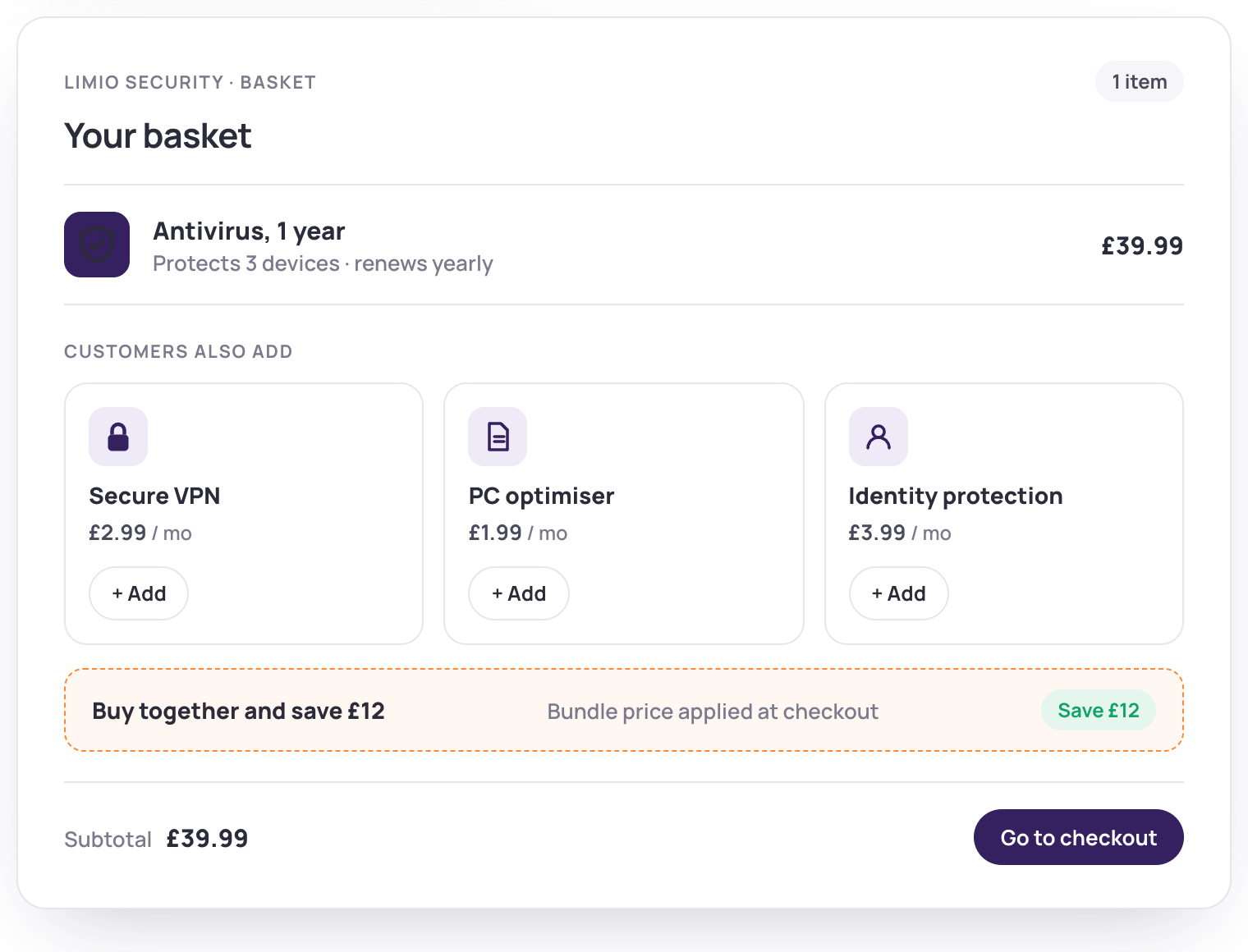
 Test
Change it on Tuesday, read the result on Friday
Two checkouts, a split in the journey, and a conversion report per checkout. Your team runs the test, ships the winner and moves on, without a release.
A/B test checkouts and pages
Route a share of traffic to a variant with a journey split, and compare the two in the Checkout Conversion report.
Drag, drop, publish
Reorder fields, change labels and validation, add a field for the data you need, and publish from the builder.
Conditional fields
Show a field only when a product is in the basket or a payment method is selected, so every buyer sees the shortest form that fits.
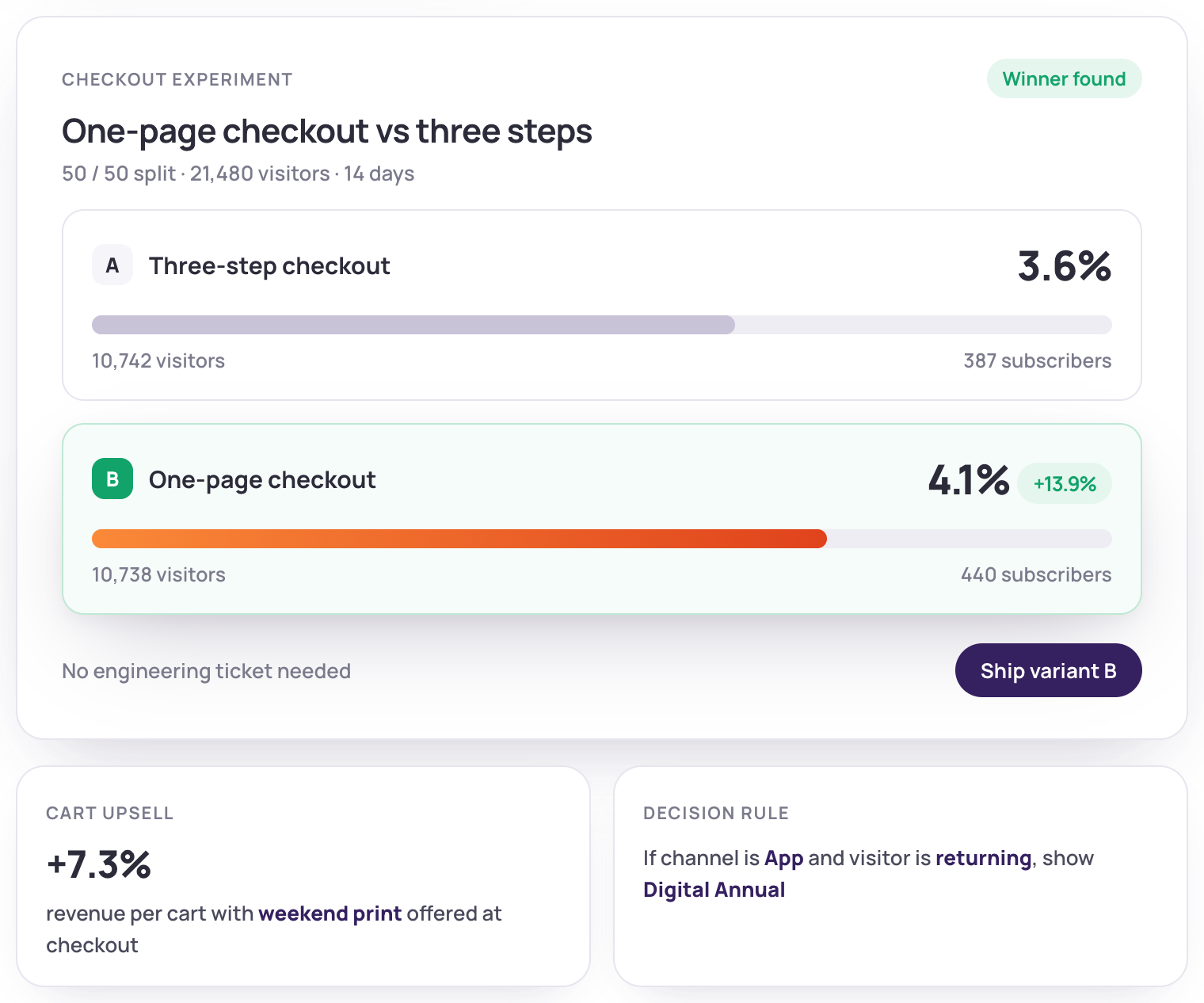
 Modular
Built from blocks, so you can rebuild it
The checkout is a set of components your team arranges: sign-in or guest, address, payment, terms, order summary, promo code, cross-sell. Add a block, remove one, reorder them, or write a custom block when you need external validation.
Any field, any order
Add the fields you need, including custom ones that write back to your billing system, and set the order and validation yourself.
Localised per brand, language and currency
Labels, copy, validation messages and terms per market, with tax previewed for the countries that need it.
Enforcement built in
Block duplicate purchases, trial abuse and discount stacking with ready-made rules.
Low code when you want it
Custom components, written by your developers or ours, for eligibility checks, external validation or a different basket presentation.
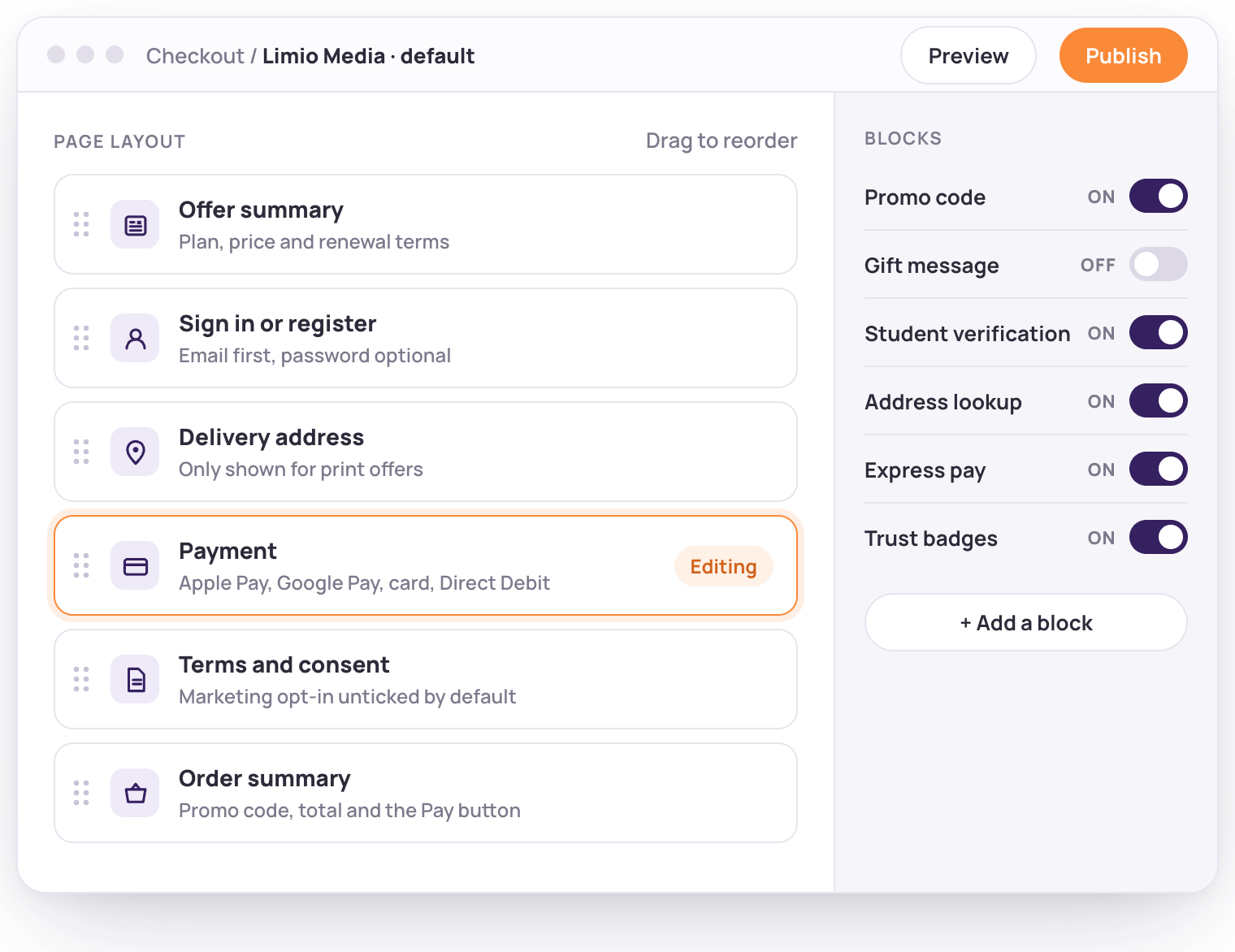
Pay the way your buyers expect
Limio takes the payment details in its own checkout and passes them securely to the billing platform you already run, so changing the checkout never means changing billing.

Cards and wallets
Visa, Mastercard, Amex, Apple Pay, Google Pay and Link, with 3D Secure handled by the gateway.

Bank payments
Direct Debit in the UK, and its European and US equivalents, for the subscriptions that stay. At one club, Direct Debit members lost 5.6% to failed payments against 20.4% on card.

PayPal and local methods
PayPal, Twint, Nexi, Datatrans and more through your billing provider's gateway, chosen per currency and country.

Your billing platform underneath
Limio takes the payment inside its own checkout and hands the token to the billing platform you already run, with a saved wallet for repeat buyers.
“With Limio, we rebuilt Webroot's checkout to be faster, smarter, and far more agile. Our teams can now launch offers, adjust pricing, and experiment with conversion strategies in real time, without engineering support. That agility led to a 13.9% lift in conversion during the pilot with our first cart configuration, and we're only scratching the surface.”
Chris Brenneman, Director, Ecommerce & Digital Experiences at OpenText

One checkout for every way you sell
Subscriptions, one-offs, gifts, students, physical products and sales-assisted orders, from the same blocks.
Subscriptions, one-offs and usage
Recurring plans, single purchases, usage-based and volume pricing in the same basket.
Gifts and redemptions
A gift checkout that captures the recipient, the message and the start date, and a redeem flow that completes the order without a payment.

Students and concessions
Student and concession offers with their own fields and their own checkout, routed by the offer.

Physical and digital
Delivery addresses, allowed countries and a fulfilment feed for the products that ship.
Renewals and sales-assisted orders
A renewal checkout for fixed-term subscriptions, and checkout links your agents send from the CRM.
Any language, any currency
Multi-brand, multi-language and multi-currency from one platform, with prices shown in local formats.
Every order, handled.
Checkout connects to Stripe, Zuora, Salesforce and more. Buyers are billed, provisioned and activated the moment they pay, and every order carries its campaign tags into your analytics.



Checkout questions, answered
The questions growth and digital teams ask us first.
Convert more of the traffic you already have.
Book a demo and bring a checkout you would like to beat.
