Every subscription question, answered in one screen.
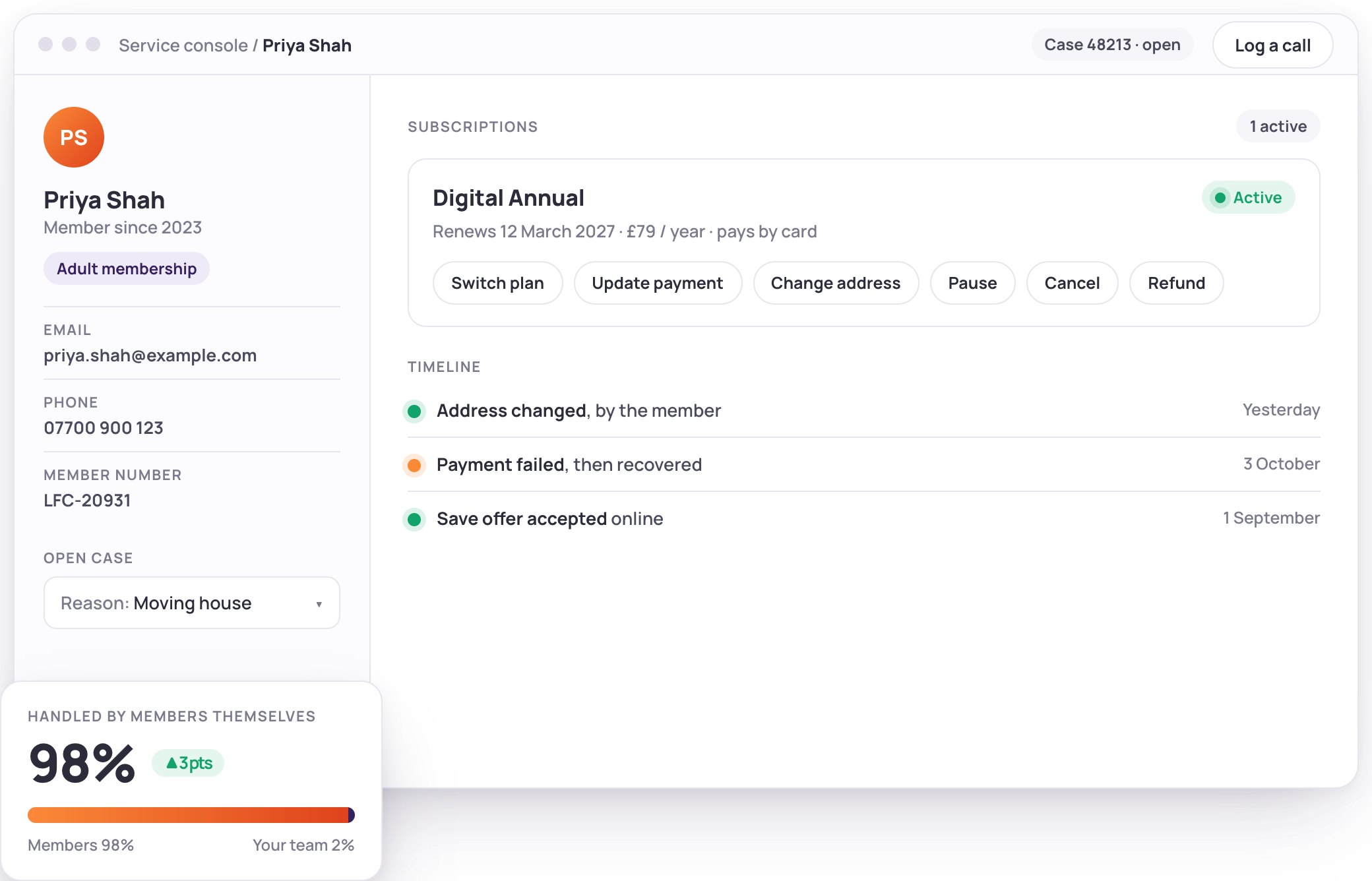
Your service team sees what a customer holds, changes it in a guided flow and records why, from the console they already use. Members fix the routine things themselves, so agents keep the cases that need a person.




Fewer calls. Faster calls.
Self-service takes the routine out of the queue. What is left, your agents handle in a few clicks with the full picture in front of them.
What a service desk gets back
Figures from Limio customers running memberships and subscriptions at scale.
- 98.6%
- Of membership changes made by members themselves A Premier League club, first 11 weeks of the season
- 3 in 10
- Of those changes happened outside office hours Nobody was on shift, and nobody needed to be
- 32.5%
- Of online cancellations saved A Limio media customer, in the first 30 days

Manage any subscription from the customer's record
Open the customer, see every subscription, pick an action and finish it in one guided flow. Switch plan, cancel or reactivate, change the payment method, update the delivery address, renew, refund or issue a credit, with the price preview in front of the agent before they confirm.

Switch, pause and step down
Move a customer to the plan that fits, with the difference charged or credited and the effective date chosen by the agent.
Payments without the panic
Take a new card or Direct Debit through the payment provider's secure form, or let the customer key it in over the phone, so your agents never see card details.
Refunds and credits with a reason
Refund an order or raise a credit against the next bill, within the limits you set for each team.
The right actions for the right people
Rules decide which actions each team can take on which subscriptions, by status, term, product or permission set.
.png)
The whole story before the first question
A timeline of every order, change, payment and save, whether the customer did it online, an agent did it, or it came from billing. Lifetime value and time since first purchase sit on the record, so the agent knows who they are talking to.
One timeline, every channel
Shop, console and billing events in one list, each with its source, so nobody asks the customer to repeat themselves.
Customer value at a glance
What this customer has paid over time and how long they have been with you, on the record.
What is coming next
Upcoming charges and renewal dates on the record, so the agent answers "when will I be charged" without a second system.
Turn a cancellation call into a save
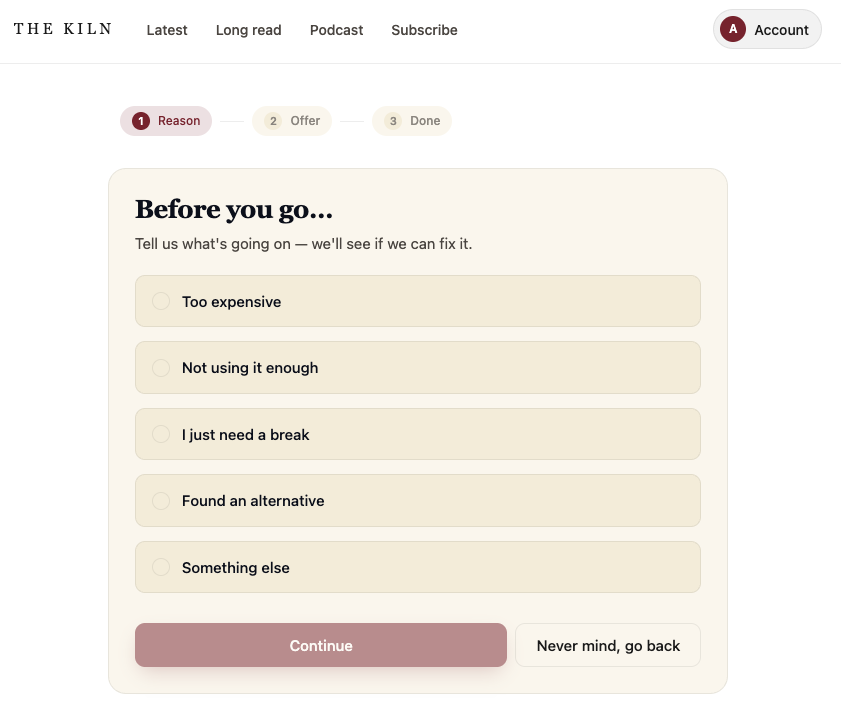
When a customer calls to cancel, the agent sees the reason, the offers that fit this subscription and any discount already applied, and can retain with a discount, a switch to a cheaper plan or a pause. Every reason is recorded, so you learn why people leave.
The right offers, filtered automatically
Offer rules show agents only what applies to this customer and this action, so a renewal call and a cancellation call see different lists.
No stacking by accident
The console warns when a discount is already running, so a save offer never lands on top of another.
Reasons that feed your retention work
Every cancellation and every save carries a reason, which flows into your reporting and your next save offer.
Members do the routine, agents keep the rest
The account area handles what used to be a call, and the console picks up the rest with the change already recorded.
Cards and addresses
Members update a payment method or an address themselves, before a renewal fails or a pack goes to the wrong door.
Auto-renew and cancellation
Turn auto-renew off and on, cancel within the cooling-off window, and see a save offer before they go.
Switches and upgrades
Move between tiers and terms online, with the difference charged or credited automatically.
Gift redemption
Redeem a gift code online, or over the phone onto a new or an existing subscription.
Abandoned baskets
Agents see the baskets left in the last two weeks and can finish the order with the customer, or send a link.
Checkout links
Build the order in the console and send a link, so the customer pays and accepts the terms themselves.
“Thanks to the integration of Limio for Salesforce, our agents can efficiently handle new orders, modify existing ones, and process cancellations, all within the Salesforce platform.”
Julian Kalbermatten, Head of Marketing Technology & Analytics at CH Media

Built on Salesforce, not bolted on
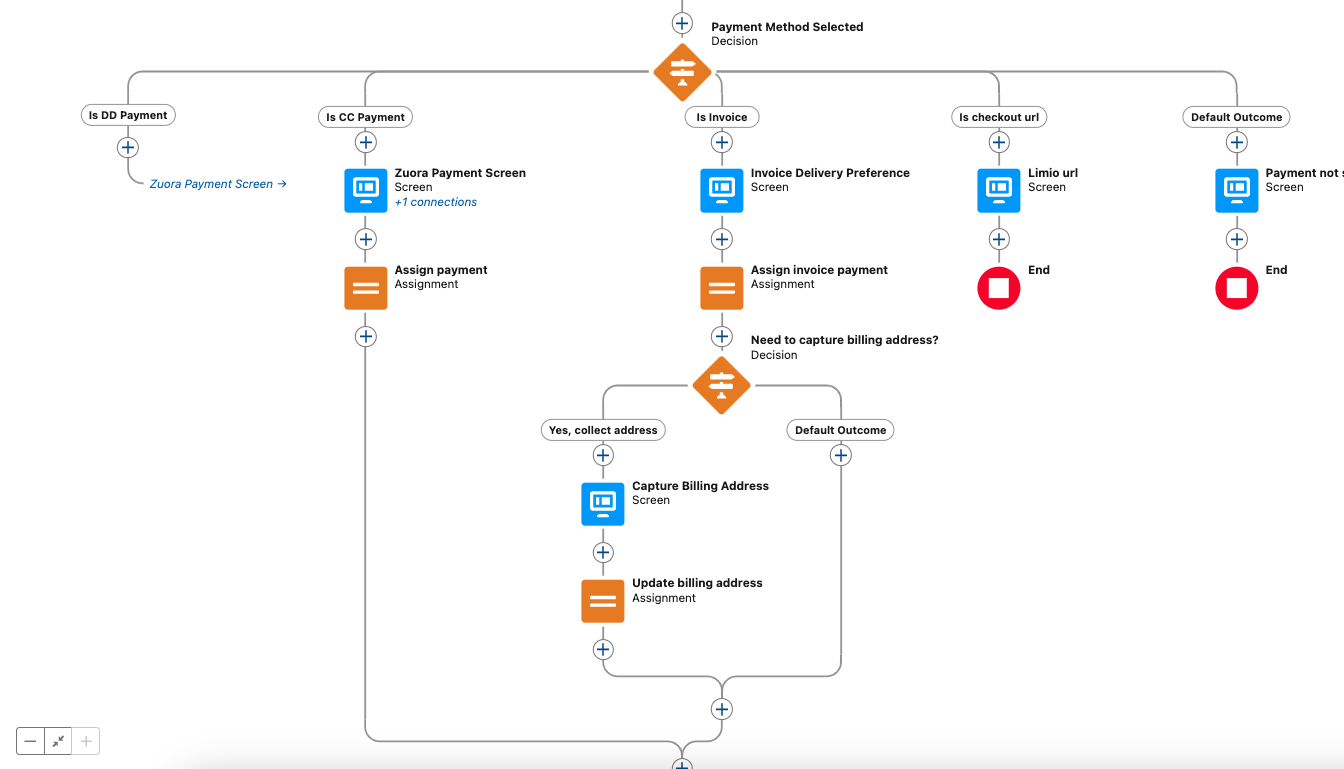
Limio for Salesforce is a managed package of Lightning flows and components. It runs on Case, Contact and Account pages, respects your permission sets and ships with the flows above ready to use. Your admin extends it without Apex.
Pre-built flows your admin can edit
Acquisition, switch, cancel, change payment, change address, renew, refund and credit, each a flow you can adapt.
Works with Stripe Billing and Zuora
The same console whichever billing platform sits underneath, with the action list matched to what it supports.
Every change synced both ways
Online orders and self-service changes land in Salesforce as they happen, and console actions appear in the customer's account area at once.
.png)
Your CRM, your way
The account area and the Limio app work on their own, and the API gives any CRM or helpdesk live subscription state.
Objects API and webhooks
Customers, subscriptions, orders and events are available over the API and as webhooks, so any CRM or helpdesk can show live subscription state.
The Limio app
Search a customer, see their subscriptions, orders and events, and trace a failed payment in the Limio app itself.
Guided links for any desk
Generate a checkout or basket-recovery link from the API and send it from the tool your agents already use.
Plays well with your service stack
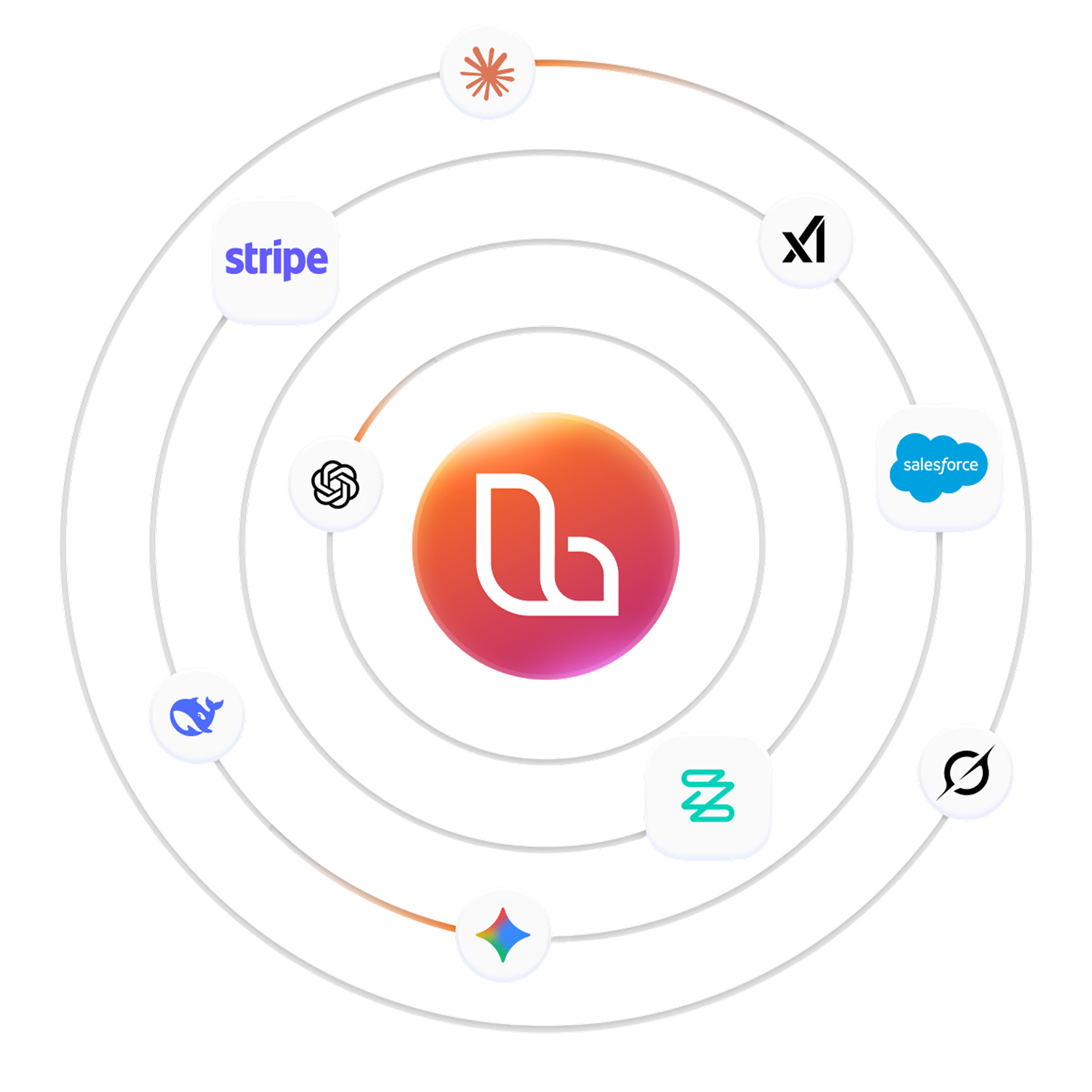
Limio integrates with Salesforce for your service and sales teams, with Stripe and Zuora for billing, and keeps every channel in step. Live chat tools can sit inside the cancel flow when a customer wants a person.


Customer service questions, answered
The questions service and operations leads ask us first.
Give your service team the whole picture.
Book a demo and we will walk through a cancellation call, a payment update and a refund, end to end.